
How to Validate Your Ticket
Faster, simpler, and smarter: with the new validators you can validate your ticket using a ticket with QR Code.
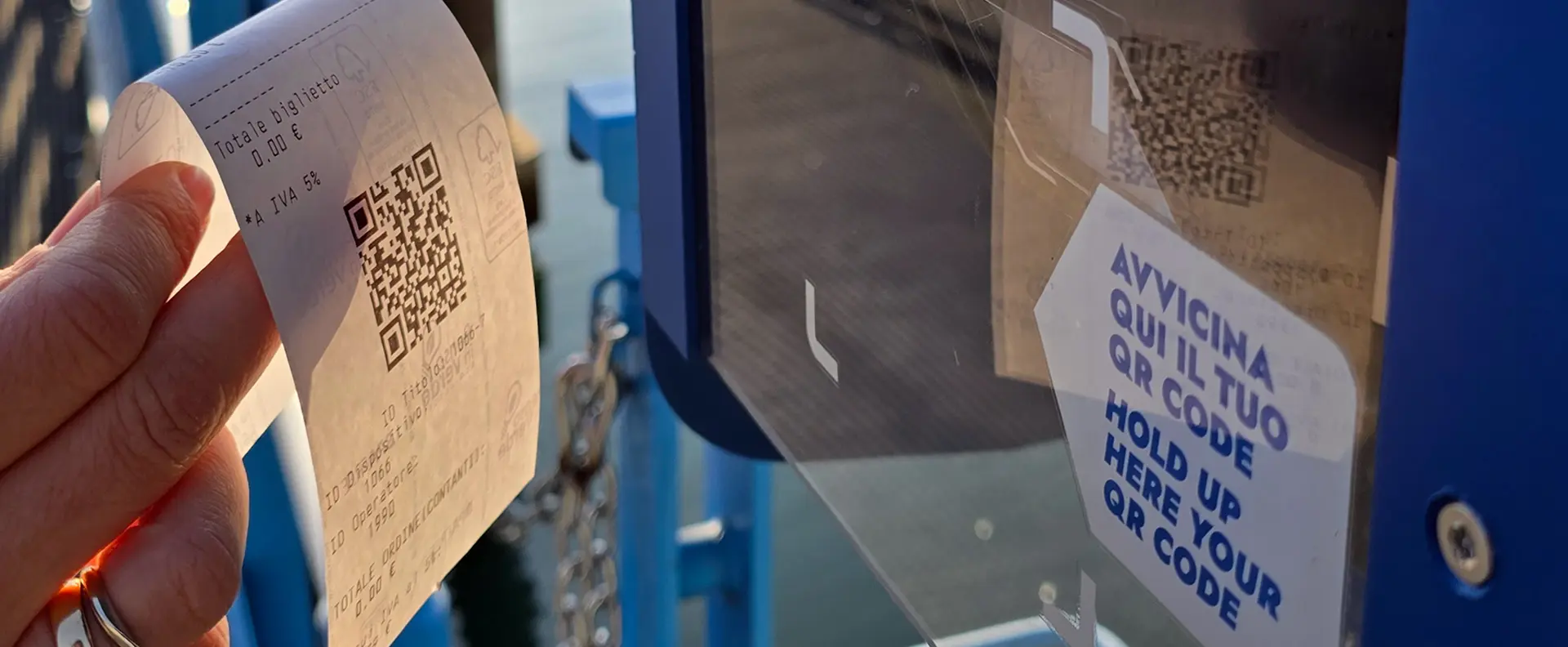
Did you purchase your ticket online?
No validation required. Skip the line and show it directly to the onboard staff.
Did you purchase your ticket at a point of sale?
Scroll down to find out how to validate it.

Where to Validate?
You will find a validator at every boarding pier.
Purchase your ticket at our sales points, then wait for the vessel to arrive before validating your ticket.
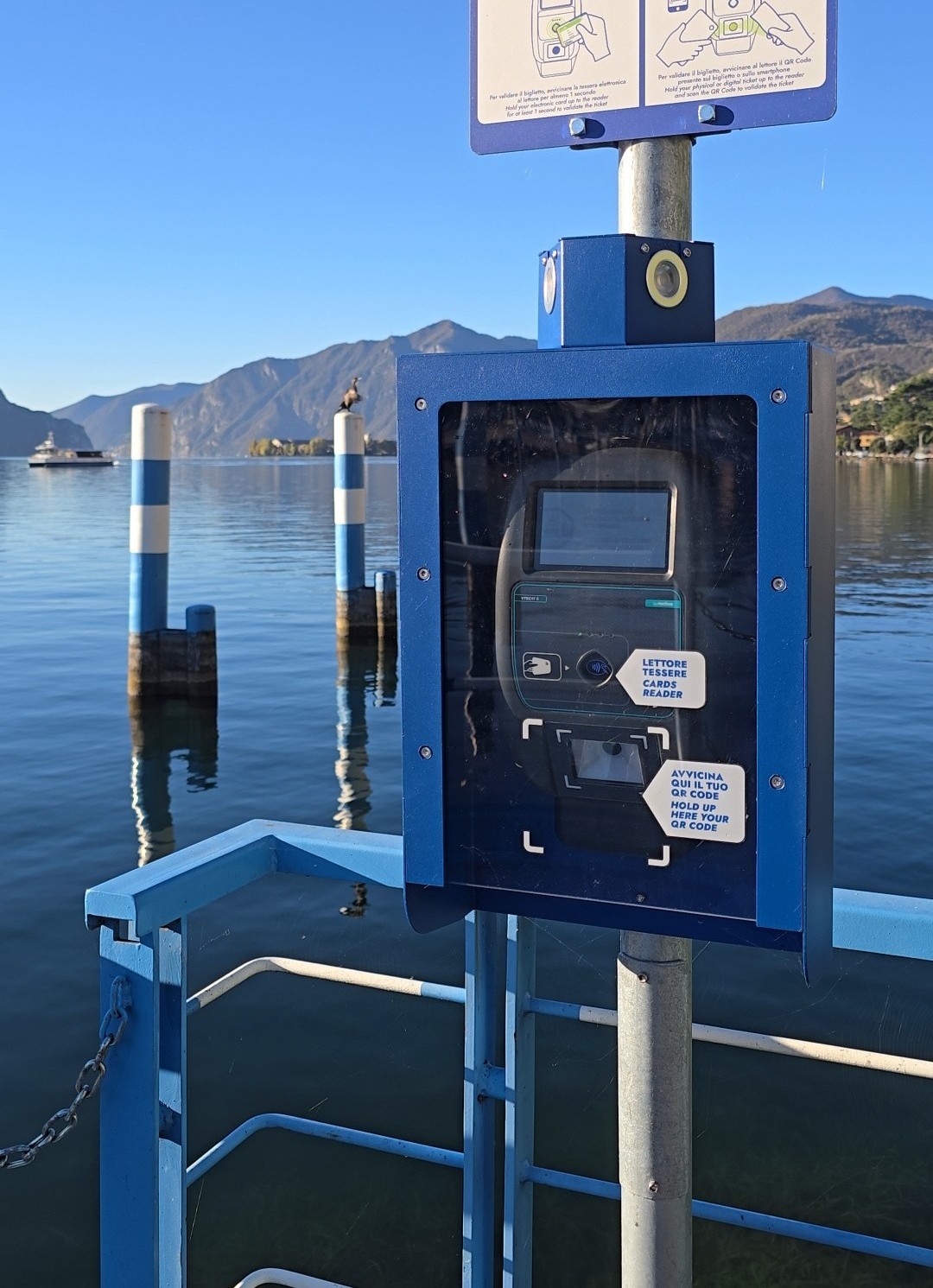
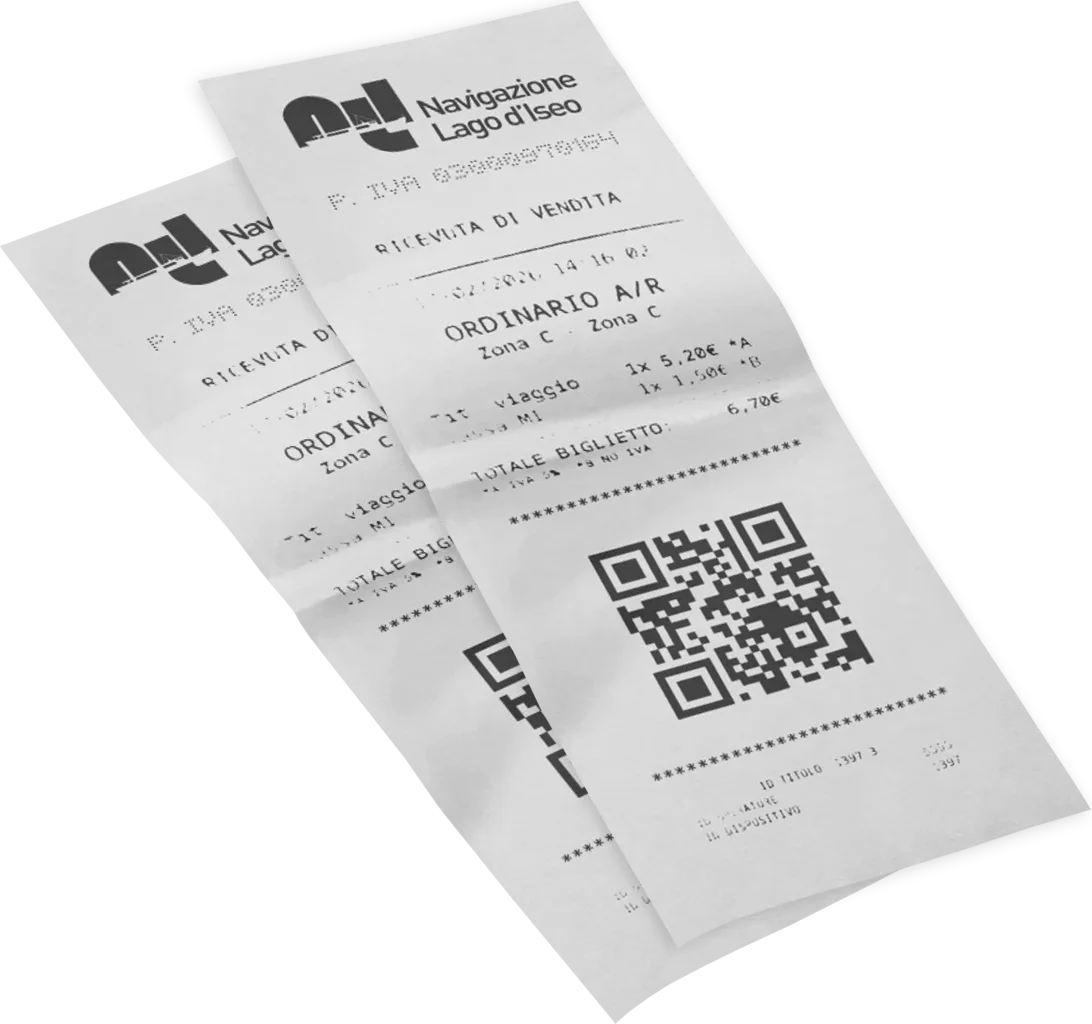
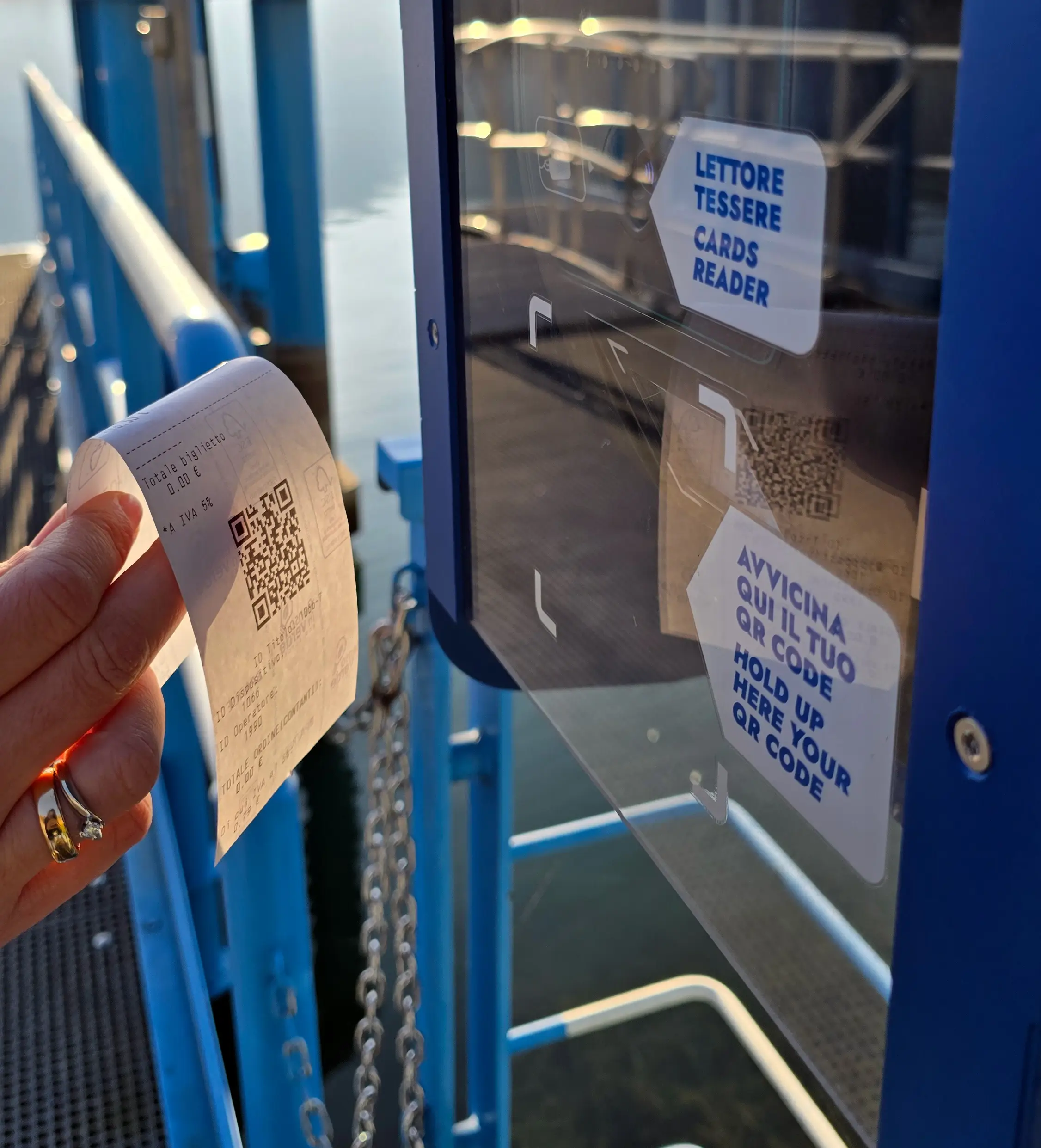
How to validate your ticket?

Bring the QR Code close to the text SCAN YOUR QR CODE and hold it still for at least 1 second.
Wait for the green light.

Green light = Ticket validated
Useful Information

The validator will not activate until the ferry arrives.
Hold the QR Code still for a moment to allow faster reading.
Green light = Ticket validated
If a red light appears, please ask staff for assistance.
Red light = Ticket NOT validated
FAQ
-
How can I recognize the new validators?
They are installed on blue totems at the piers.
-
How do I validate my QR code ticket at the pier?
Place the QR code near the validator installed on the pier, inside the marked green area.
-
How can I tell if validation was successful?
A green light and confirmation message will appear on the validator display.
-
What should I do if my QR code does not work?
Inform a crew member on board immediately so the issue can be checked.
-
Do I need to validate my ticket again if I change boats?
Yes. The ticket must be validated each time you board a different boat.
-
Can I check how many trips remain on my multiride ticket?
Yes. The validator display shows the remaining trips during validation.
-
What should I do during a ticket inspection?
Simply show your QR code ticket to the inspector.